
Adding External Jobs
While Shapeshifter's AI analyzes 5M+ jobs automatically, your clients may discover opportunities on LinkedIn, Indeed, or through personal networking that aren't in the database. This guide shows you how to add external jobs to ensure all opportunities are tracked in one place.
Before you begin: Make sure the Jobs component is already set up for your client. If not, check out our guide on setting up jobs first.
Why Add External Jobs?
Adding external jobs allows you to:
Track all job applications in a single dashboard
Apply Shapeshifter's AI analysis to any job posting
Monitor opportunities found through networking or referrals
Keep internal or unlisted positions organized alongside public postings
Method 1: Add Job from Link
If your client finds a job on LinkedIn, Indeed, or another job board, you can quickly import it using the job URL.
Steps:
Navigate to the Jobs dashboard
Click + Add Job
Paste the job URL in the Add Job Link field
Hit Enter
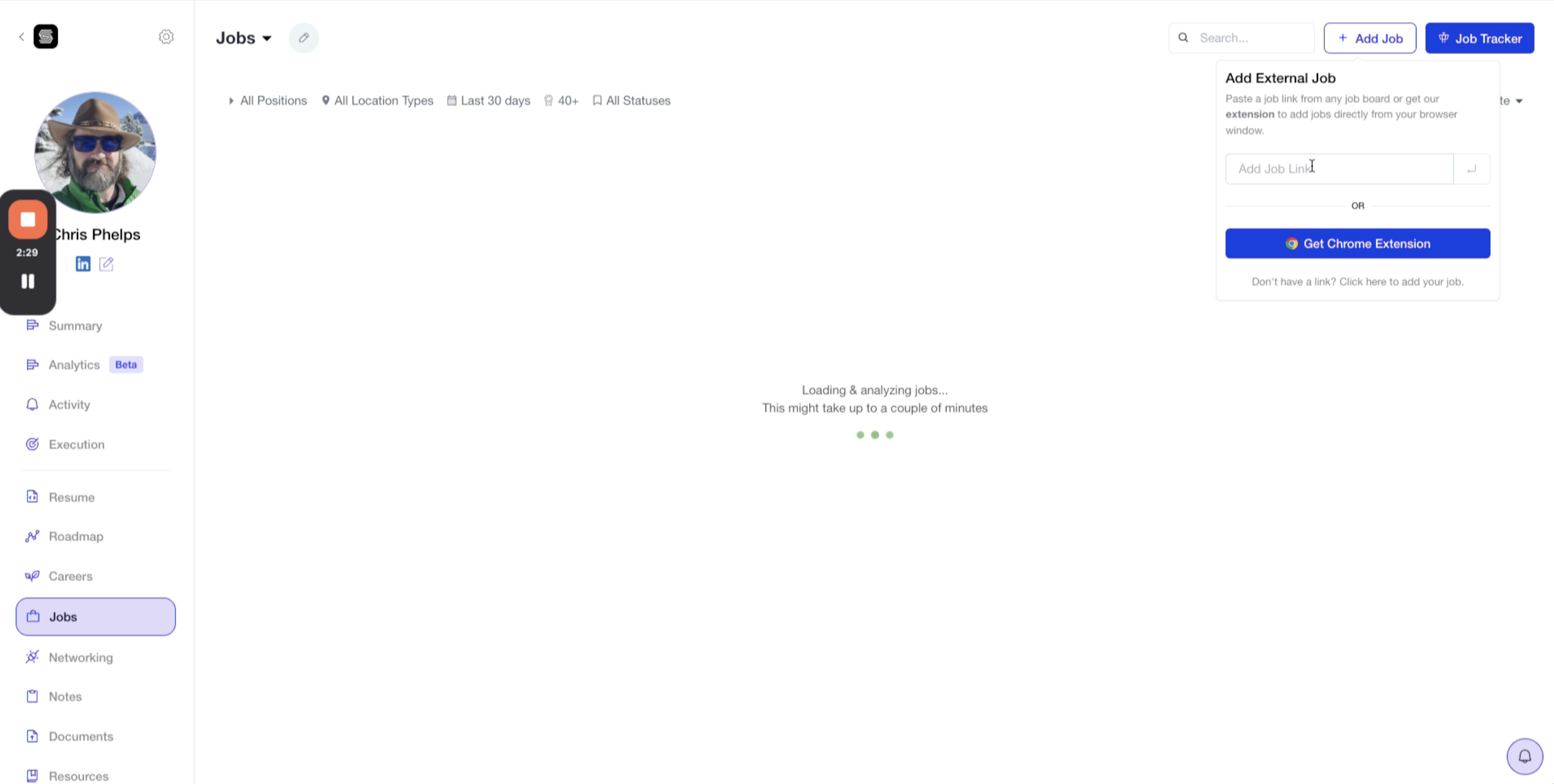
Use the Chrome extension to add jobs with a single click while browsing job boards. Click Get Chrome Extension in the sidebar to install it.
What Happens Next?
Shapeshifter will automatically:
Extract the job details (title, company, description)
Run AI analysis on the posting
Generate a compatibility score based on your client's profile
Add the job to the dashboard with full tracking capabilities
Method 2: Add Job Manually
For internal opportunities, referrals, or jobs that aren't posted publicly, use the manual entry form.
Steps:
Click + Add Job
Select Don't have a link? Click here to add you job
Fill in the required fields:
Company – The employer's name
Position – The job title
Description – Paste or type the job description
Click Add Job
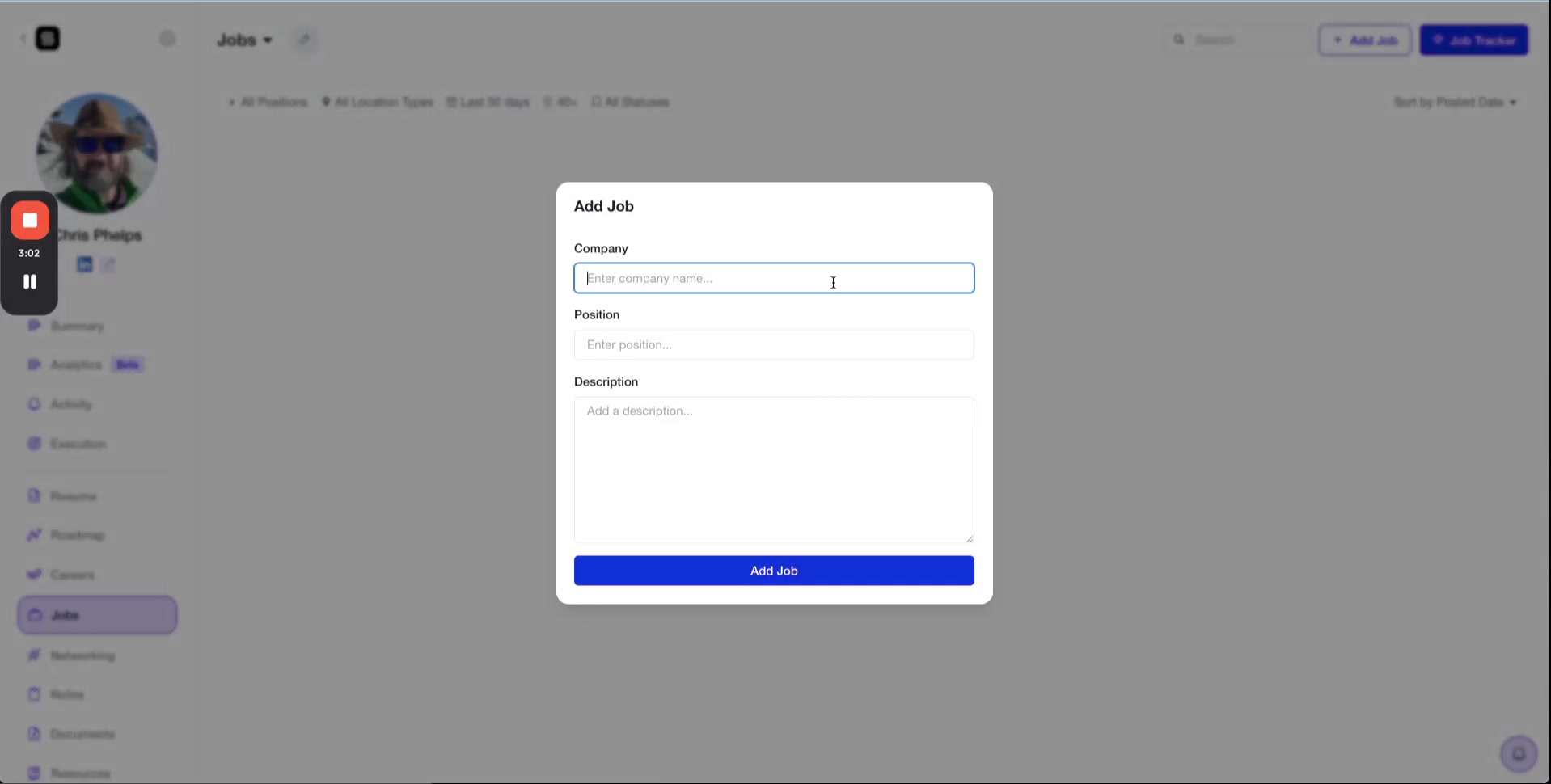
Even manually added jobs receive AI analysis and compatibility scores, giving your client insights into how well they match the opportunity.
Managing Added Jobs
Once added, external jobs appear in your Jobs dashboard alongside AI-matched positions. You can:
Apply filters to find them quickly
Update their status (Saved, Applied, Networking, etc.)
View AI analysis and compatibility scores
Track all activity and notes in one place
Video Walkthrough
For a complete visual demonstration of adding external jobs, watch the video below: