
Using the Roadmap
A coach creates a personalized roadmap with milestones and tasks to guide their clients' career journey. The Roadmap feature helps you track progress, stay organized, and know exactly what to focus on next.
Your roadmap is unique to you. The milestones, tasks, and due dates are customized by your coach based on your goals and career situation.
Accessing the Roadmap
Access the roadmap from the left sidebar navigation. Click Roadmap to view the complete journey with all assigned milestones and tasks.
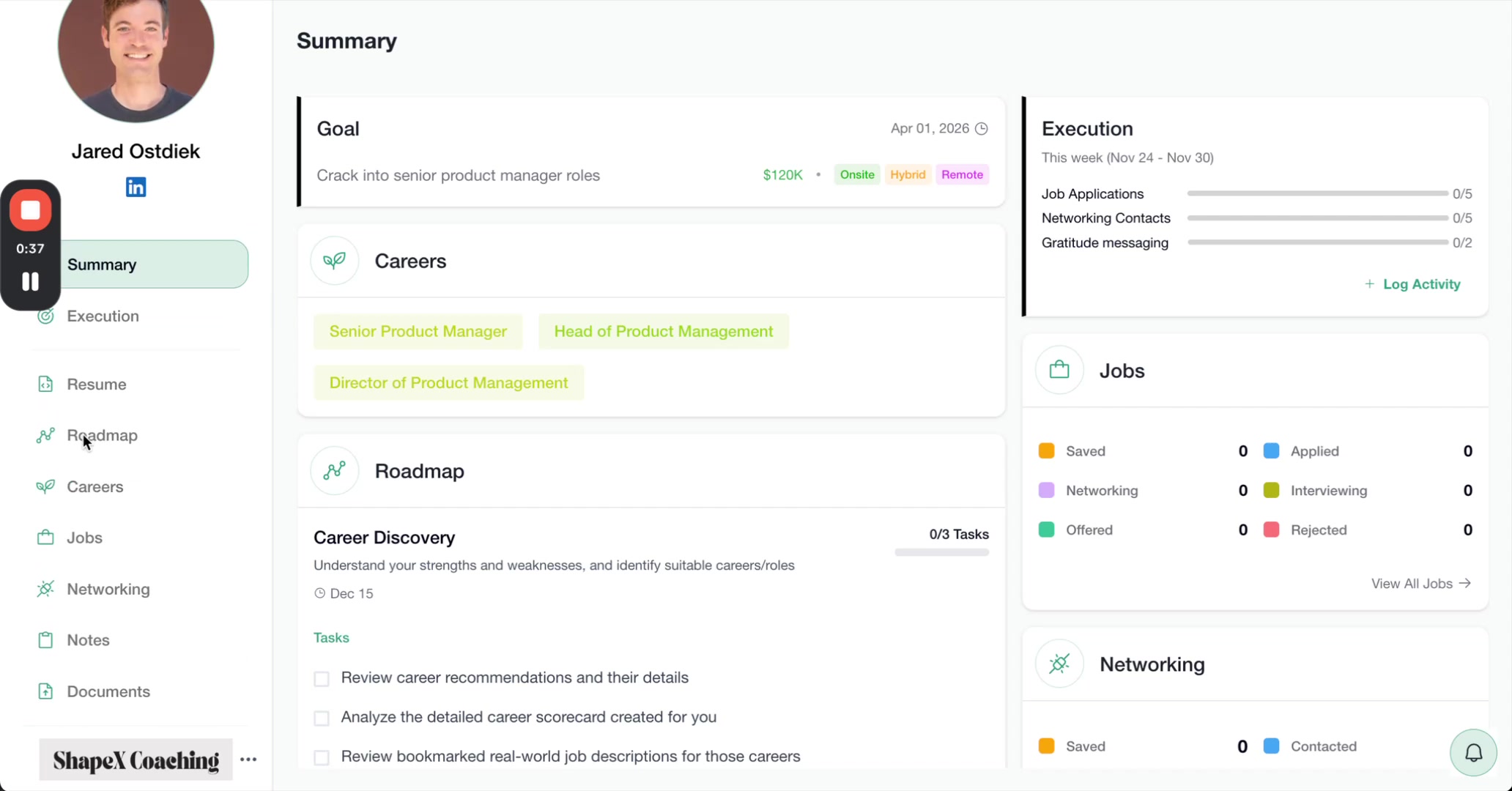
The Roadmap view displays all the milestones in sequence. Each milestone shows a brief description, due date, and task completion status.
Understanding Milestones and Tasks
The roadmap is organized into milestones (major phases) that contain tasks (specific action items). Milestones appear collapsed by default, showing a summary like "Career Discovery - 0/3 Tasks - Dec 15".
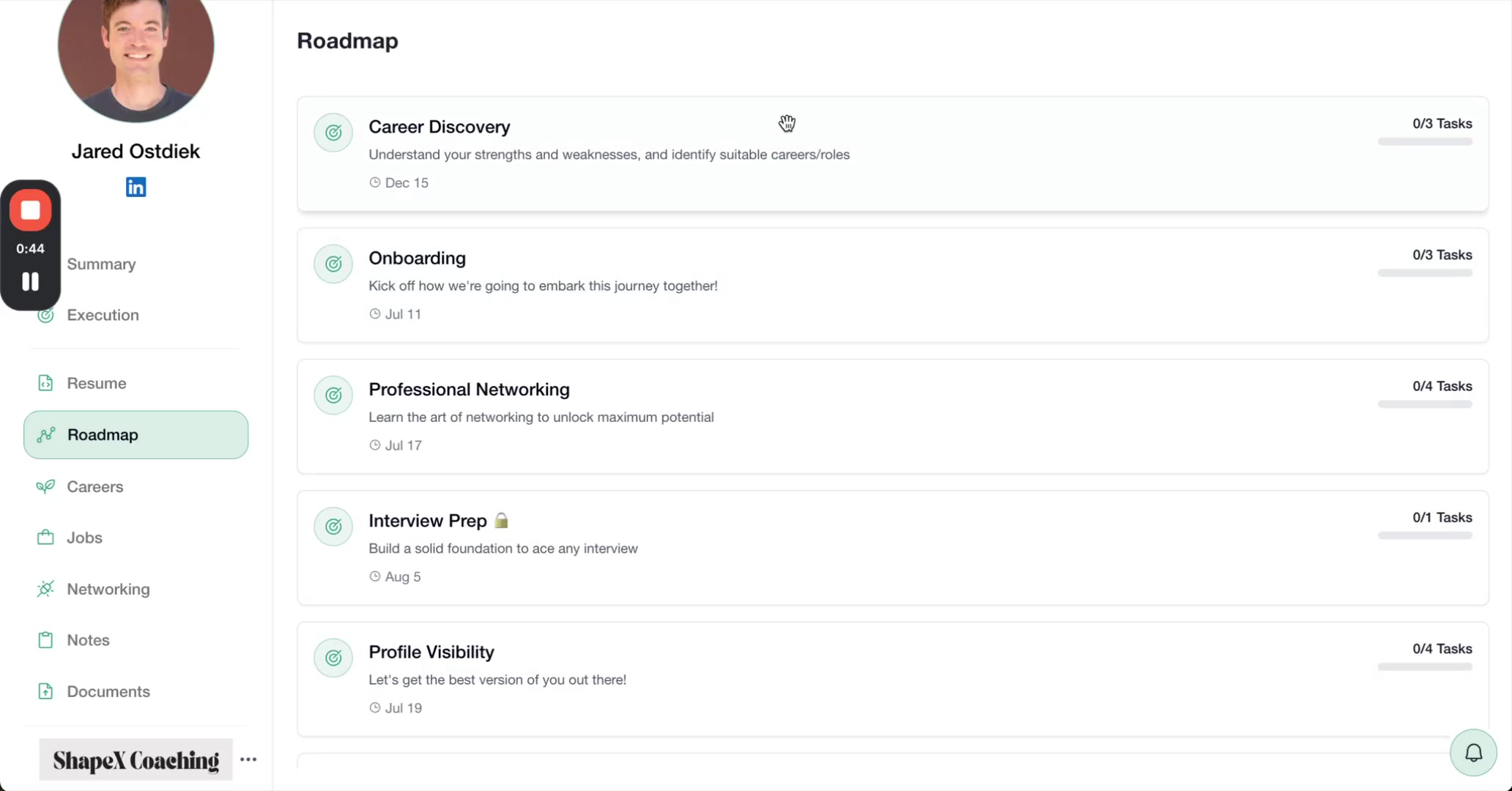
Click any milestone to expand it and see the individual tasks inside. Each task includes:
A checkbox to mark completion
A clear description of what to do
The completion date (once you check it off)
Expand one milestone at a time to stay focused. Complete tasks in order unless your coach advises otherwise.
Completing Tasks
As a client finishes each task, the client can check the box next to it. The system automatically records the completion date and updates the progress counter.
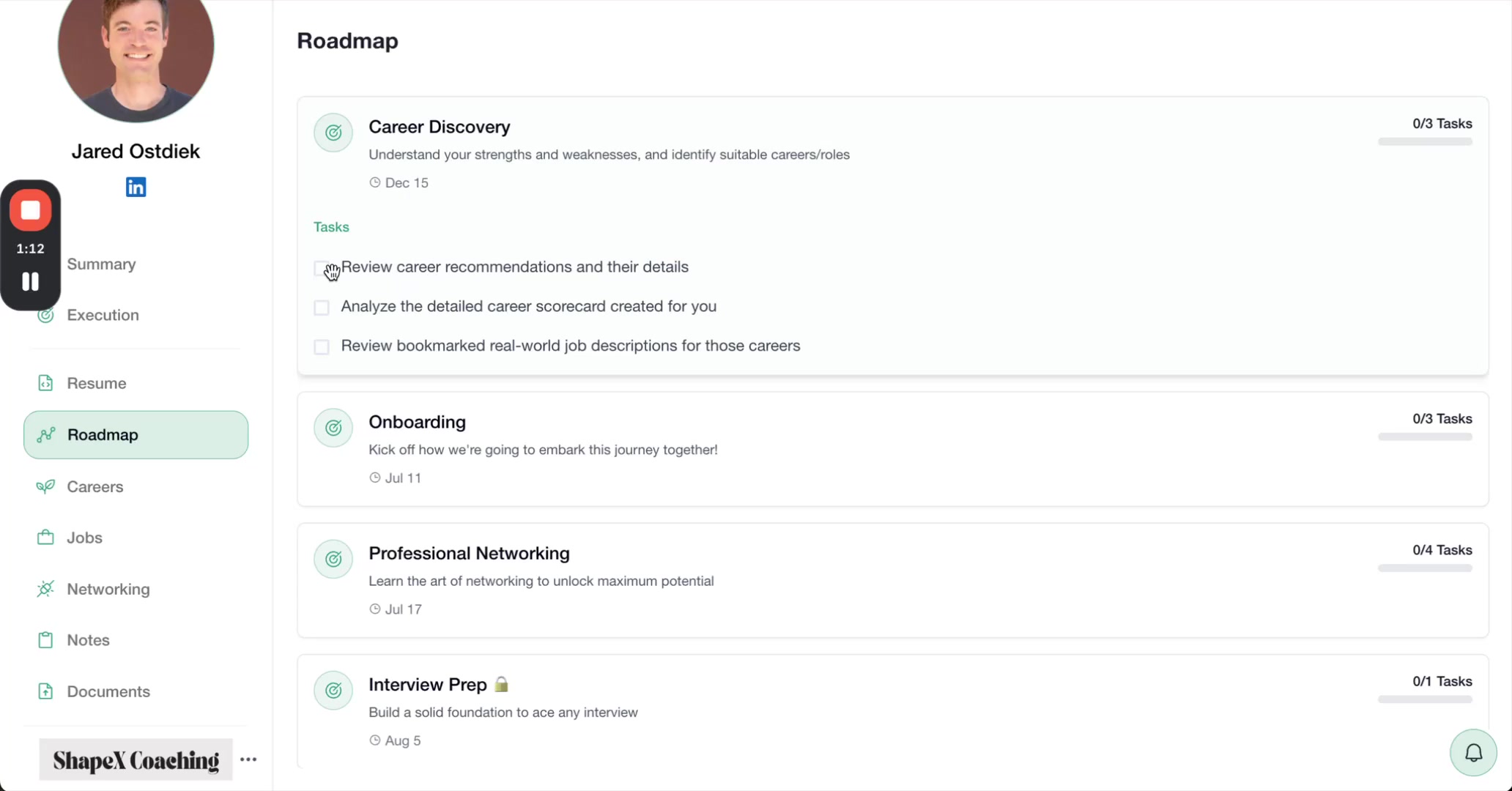
After checking off the first task, the milestone progress updates (for example, from 0/3 to 1/3). The checked task shows a green checkmark and displays when the client completed it.
Tracking Your Progress
Continue working through tasks one by one. Each time the client checks a box, the progress counter updates in real time.
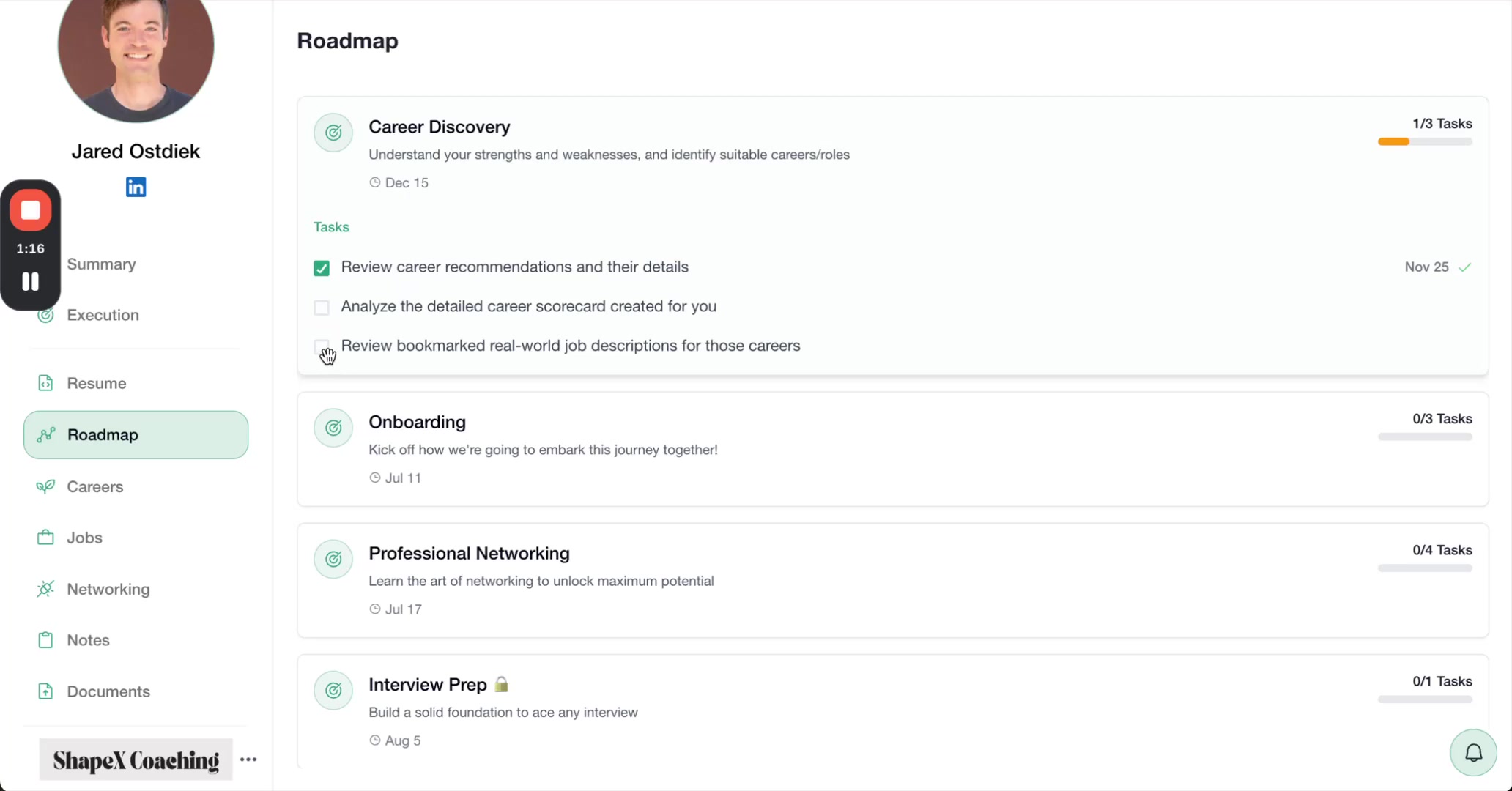
The task list shows the progress visually. Completed tasks display with checkmarks and dates, while pending tasks remain unchecked.
Finishing a Milestone
Once all tasks are checked, the milestone shows complete with all tasks displaying checkmarks and completion dates.
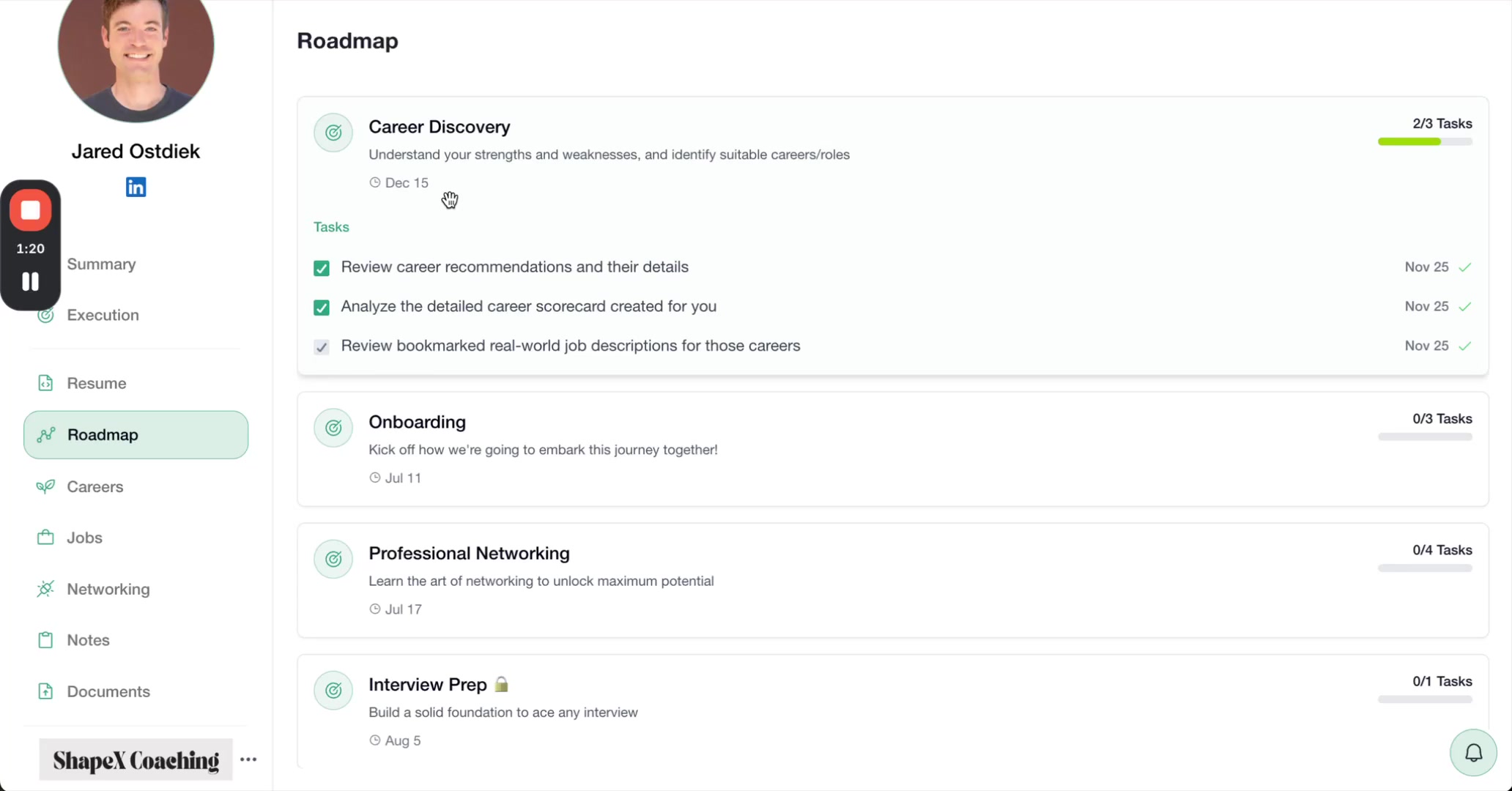
Completed milestones remain visible in your roadmap so you can review what you've accomplished and reference completion dates.
Moving to the Next Milestone
After finishing one milestone, scroll down or collapse it to see the next milestone in the roadmap. Click to expand and view the new set of tasks.
A coach may assign milestones that build on each other, so completing them in order often makes the most sense. If you're unsure about sequencing, check with your coach.
Working with Due Dates
Each milestone includes a due date set by the coach. These dates help a client pace their progress and stay on track toward their career goals.
Due dates are targets, not hard deadlines. If you need more time or want to discuss adjusting your roadmap, reach out to your coach.
Best Practices for Using Your Roadmap
Check your roadmap regularly - Review it at the start of each week to plan your focus
Check off tasks as you complete them - Don't wait to batch updates; mark progress immediately
Follow the sequence - Milestones are usually ordered intentionally by your coach
Ask questions - If a task is unclear, contact your coach for clarification before skipping it
Celebrate progress - Use the visual progress indicators to recognize your momentum
Video Walkthrough
Watch a complete demonstration of navigating and completing roadmap tasks: