
Sharing Client View Access
Give your clients secure access to their own progress dashboard with a unique link and passcode. Clients see a simplified, read-only view of their goals, applications, and networking activity without any admin controls.
Generate Client Access
From your client's dashboard, scroll down the left navigation panel and click Client View.
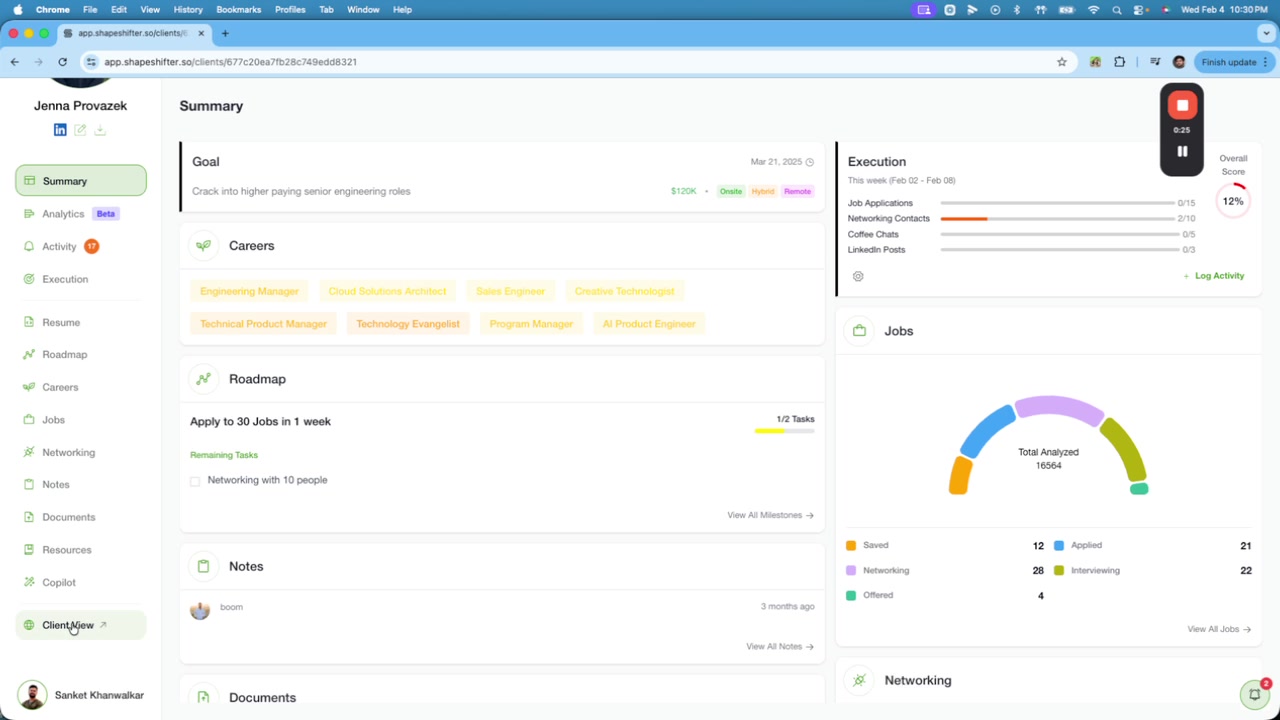
A modal opens displaying a unique shareable link and passcode for this client.
Share Credentials
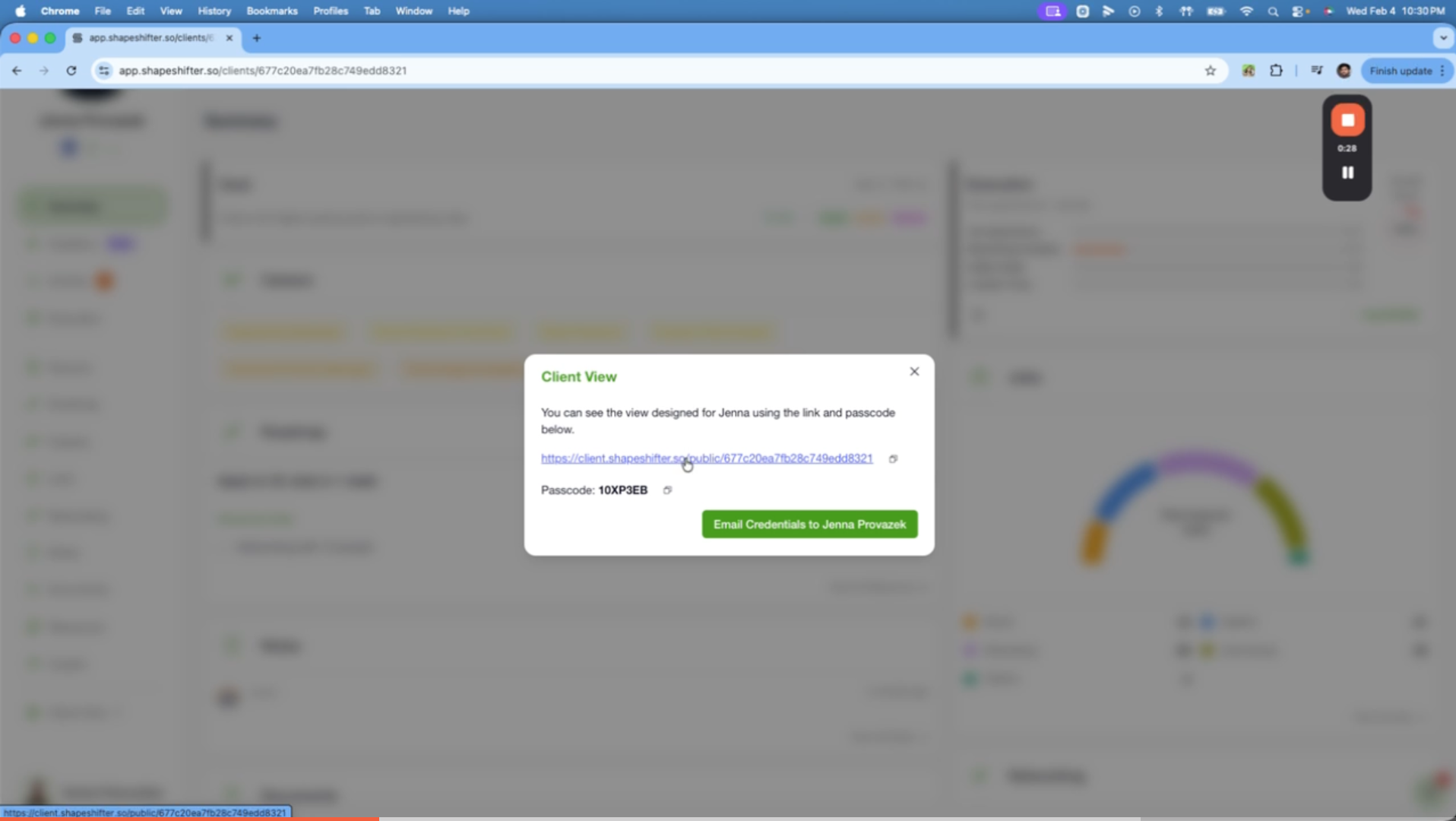
You have two options:
Copy and share manually - Copy the link and passcode, then send via email, Slack, or your preferred method
Send automatically - Click Email Credentials to [Client Name] to send directly (requires client email added during onboarding)
The link is unique to each client and provides access only to their own dashboard.
What Your Client Sees
When your client opens the link, they'll see a branded login screen asking for the passcode.
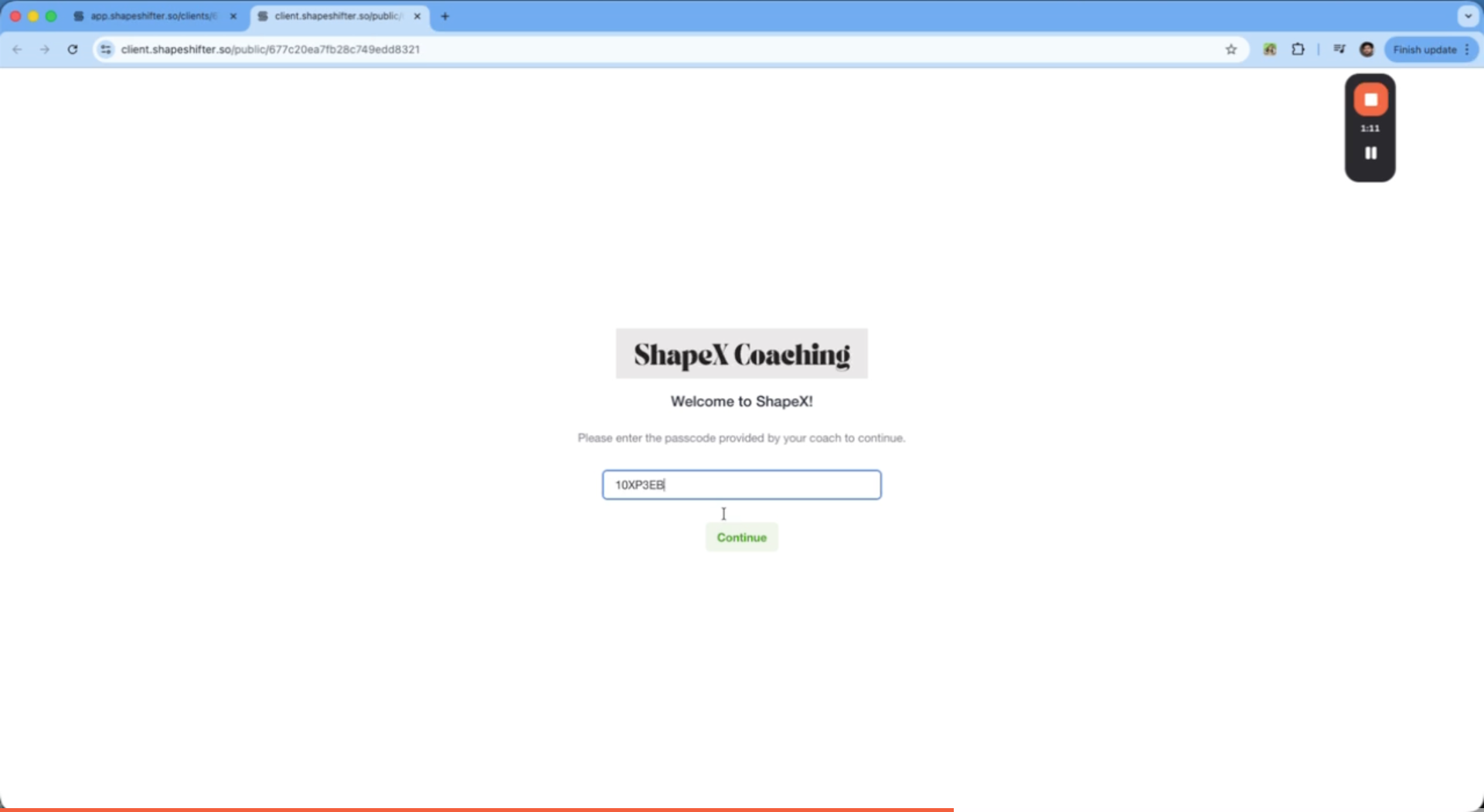
After entering the passcode and clicking Continue, they access their simplified dashboard with:
Summary and goals
Career targets
Roadmap
Job statistics (saved, applied, interviewing, offered)
Networking activity
Execution progress
Notes and documents
White-label the client portal URL with your own custom domain (e.g., client.yourcoaching.com) for full branding.