
Reporting Job Quality Issues
Shapeshifter scans over 5 million jobs globally to match your clients with the best opportunities. While we prioritize quality over quantity and push weekly improvements, we rely on your feedback to refine our AI-driven job matching. This guide shows you how to report issues with job listings directly from the platform.
The platform balances job quantity and quality—your reports help us blacklist problematic sources, verify expiration dates, and improve our analysis logic.
Finding the Jobs Dashboard
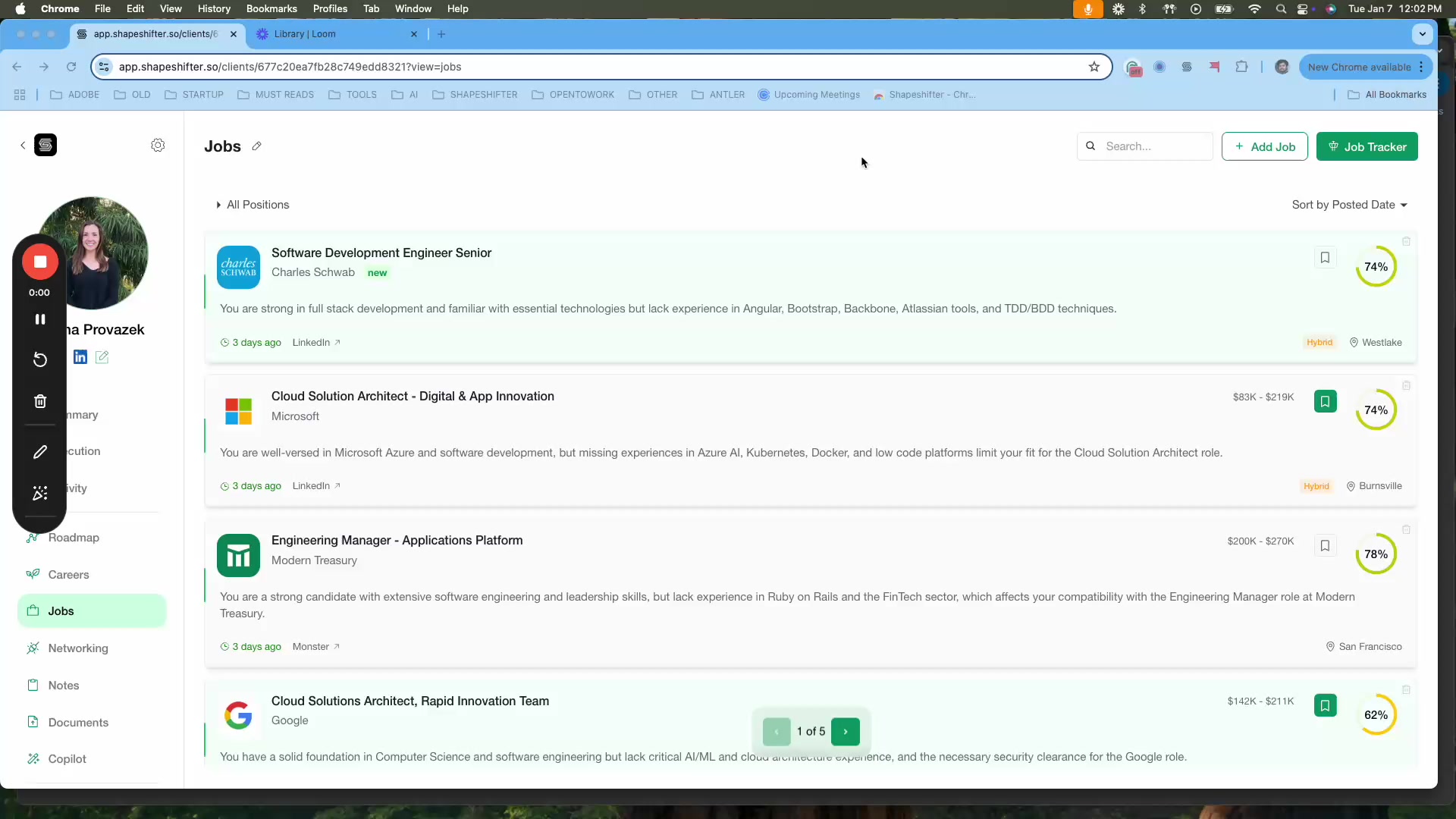
Start by navigating to the Jobs section from your sidebar. You'll see a list of recommended jobs for your client, each showing:
Job title and company
Brief description
Source (LinkedIn, Monster, Glassdoor, etc.)
Salary range and location
Time posted
Compatibility score (e.g., 62% match)
Opening a Job's Detailed Analysis
Click on any job listing to open the detailed view in a side panel. You'll see tabs for Analysis, Networking, and Copilot, along with:
Full job description
Compatibility score
Strengths and weaknesses analysis
A flag icon next to the compatibility score
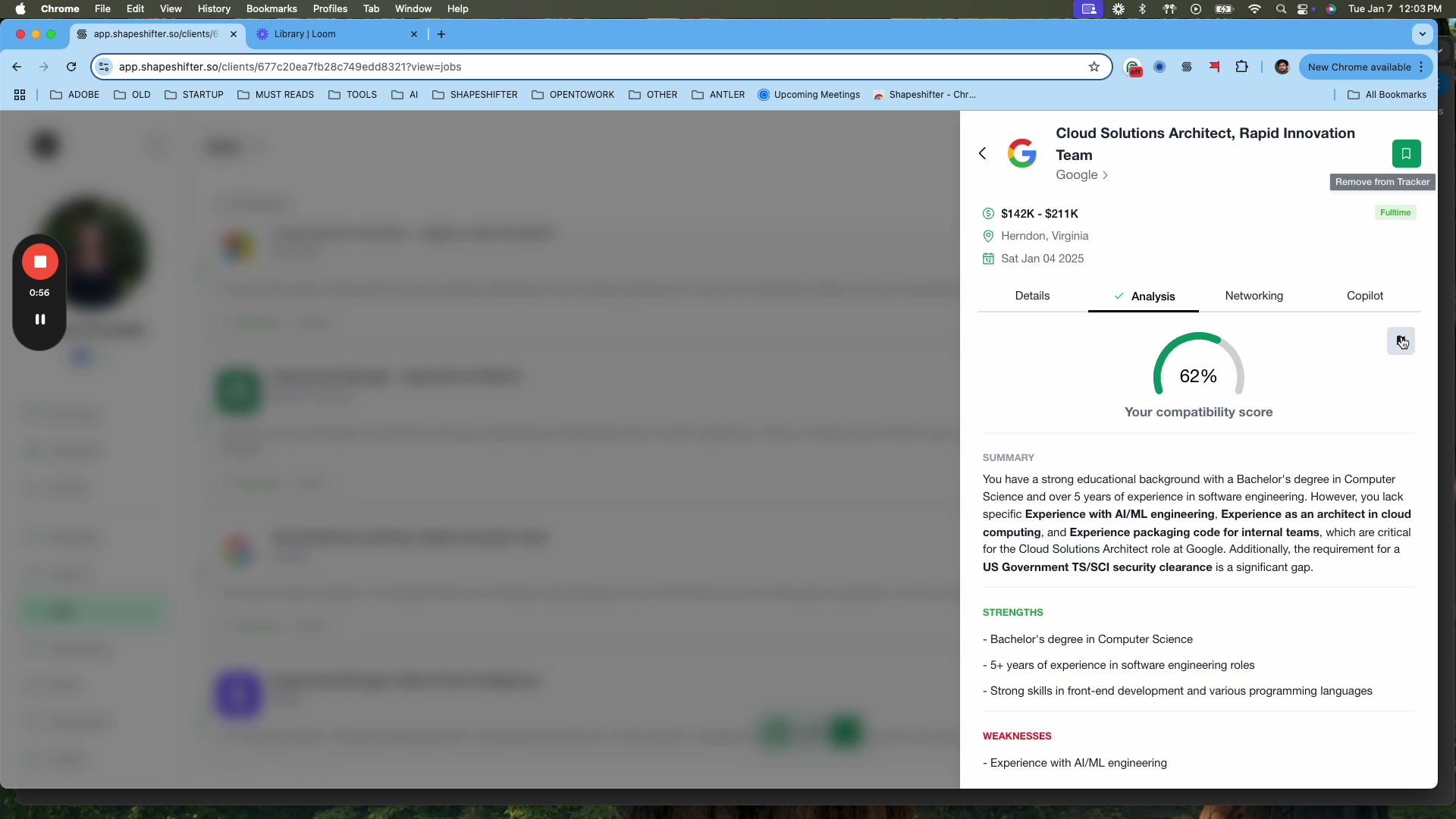
The flag icon is your quick access to report any issues you spot with the job listing or analysis.
Reporting an Issue
Click the flag icon to open the "Report Issue" modal. You'll see several reporting options:
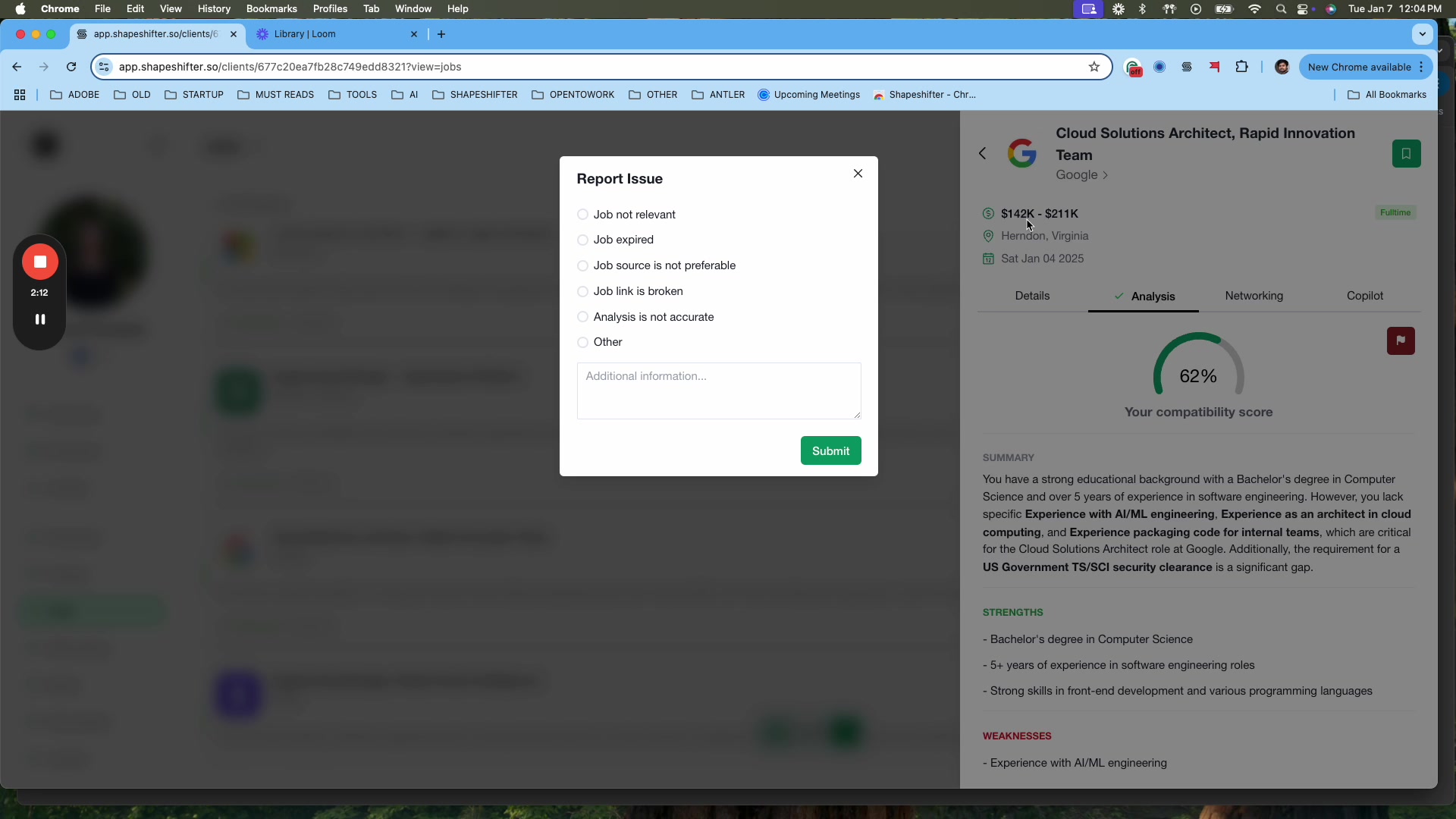
Issue Types
Option | When to Use | Example |
|---|---|---|
Job not relevant | Job doesn't match client criteria | Product Manager search shows software engineering role |
Job expired | Position already filled or removed | Job was filled quickly after being pulled into the system |
Job source is not preferable | Job aggregator has issues | Publisher requires premium payment to apply |
Job link is broken | Link doesn't work or is restricted | Geographic restrictions, incorrect URLs, removed postings |
Analysis is not accurate | Compatibility score seems wrong | 90% match when clear misalignment exists |
Other | Any other issue not listed above | Unusual job board behavior, duplicate listings, etc. |
Adding Additional Context
After selecting an issue type, you can provide more details in the "Additional Information" text field. This helps our team understand the specific problem and take appropriate action.
For example, if you select "Job source is not preferable," you might add: "Published Acme Jobs requires premium payment to view full job details and apply."
The more specific your feedback, the better we can refine the job matching algorithm and source quality.
Submitting Your Feedback
Click the "Submit" button to send your report directly to our core team. You'll see:
A "Thank you for your feedback!" confirmation message
The flag icon turns red to indicate the job has been reported
What Happens Next
Your feedback is instantly sent to the Shapeshifter team for review. Based on your reports, we take actions like:
Blacklisting problematic job sources
Improving expiration date verification
Refining AI analysis logic for better compatibility scoring
Fixing broken links or removing duplicate listings
User reports are pushed to our development pipeline weekly, ensuring continuous platform improvements.
Video Walkthrough
Watch the complete video demonstration of the job reporting feature: